
How Discover Claims Works
Discover ClaimsTM is a free Android app that makes it quick and easy to request reimbursement for medical mileage. If you’ve been driving to medical appointments, you may be entitled to reimbursement. You don’t need an account, and everything you enter stays on your phone. Here’s how it works.
- Download Discover Claims from Google Play. It’s Free!
- Enter Your Name and Address in Settings.
- Add Your Insurance Company.
- Add Your Medical Providers and the Round-Trip Miles From Home.
- Create a Claim With Your Claim Number and Date of Injury.
- Log a Trip Each Time You Drive to an Appointment.
- Print or Save a PDF Summary for All Trips or a Single Month.
- Submit the Summary to Your Insurance Company.
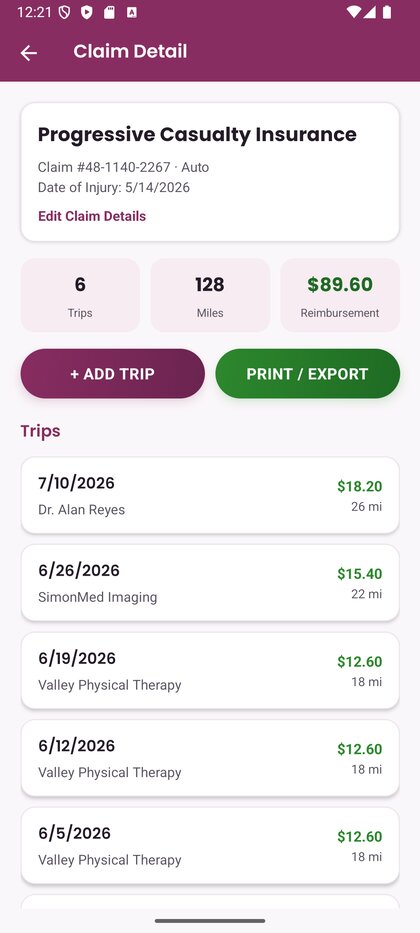
Your insurance companies and providers are saved, so logging each new trip takes just a few taps. If the mileage rate changes, update it in Settings. Trips you’ve already logged keep the rate they were recorded at.
It's that Easy! Get Started Now For Free.